





Friday Challenge Answer – Create a Percentage (%) and Value Label within 100% Stacked...
Last week I posted a Friday Excel Challenge!. Fun times. How did you do? Spoiler alert, if you don’t know how to create this...
Friday Challenge – Find Unique Values from CSV List
Welcome back to another Friday Challenge at Excel Dashboard Templates!
Today's challenge is pretty straight forward and can be done manually (although it will take...
Friday Challenge: Can the data in chart change itself to be percentages & number?
Hi Excel Fans!
Today we are going to see if we can solve this question from Ajay.
Ajay wrote:
Can the data in chart change itself to...
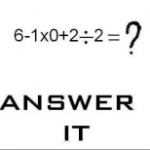
Friday Challenge: What is your answer vs. Excel?
There is a Facebook post going around and I thought it would be a fun Friday Challenge edition.
What is your answer to this this...

Friday Challenge Answer – Find Unique Values from CSV List
Here is how you can quickly solve the most recent Friday Challenge: Find Unique Values from CSV List
Before we begin, I am going to show...

Data Transformation – Excel Array Solution
In a recent Friday Challenge, I asked our readers to transform an varying text string into dates and values to determine averages. Well although...
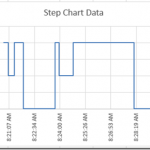
How-to Create a Time Data Series Step Chart in Excel
In our recent Friday challenge, we were asked by Anna how can we make our popular Excel Step Chart work for data that is...
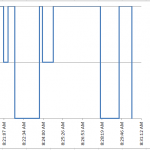
Friday Challenge – Step Chart for an Excel Time Series
I was recently asked for assistance with this request:
Hi Steve,
I am trying to make a hypnogram with data that we collected over the course...

Friday Challenge – Chart This Data in Excel
Chart This Data in Excel
Today's challenge is a simple one but has many answers. You will be presented with a small set of data and I...
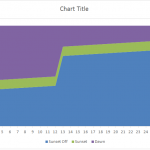
Excel Stacked Area Time Chart – Friday Challenge Answer
In our recent Friday Challenge, a user asked this:
"This is a scatter with smooth line and markers graph. What I would like to have...